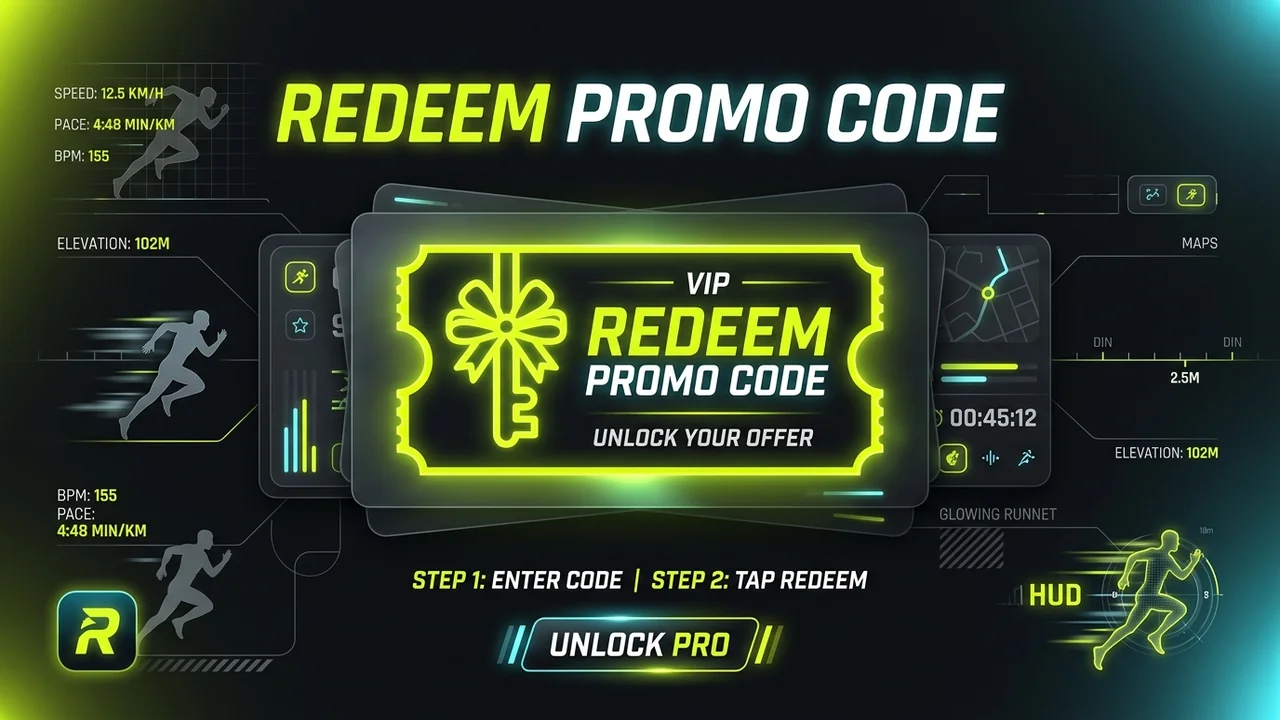
Got a promo code for RunCut Pro? You can now redeem your code directly inside the RunCut mobile app without having to navigate through external store menus.
Whether you received a gift code from a review reward, community giveaway, race partner, or ambassador campaign, this quick guide walks you through activating your Pro access in seconds.
2 Ways to Redeem Your Code In-App
RunCut offers two seamless paths to redeem your code inside the app:
Option 1: Redeem via the HUB Tab (Recommended)
The HUB tab is your personal control center in RunCut, housing your connections, settings, storage, and subscription details.
- Open the RunCut app on your iPhone or Android phone.
- Tap the HUB tab on the bottom navigation bar (the third icon on the bottom right).
- Under the Account & Settings section, tap “Redeem Code” (marked with a ticket icon 🎟️).
- A popup sheet will appear. Paste or type your promo code into the text field.
- Tap the vibrant “Redeem” button.
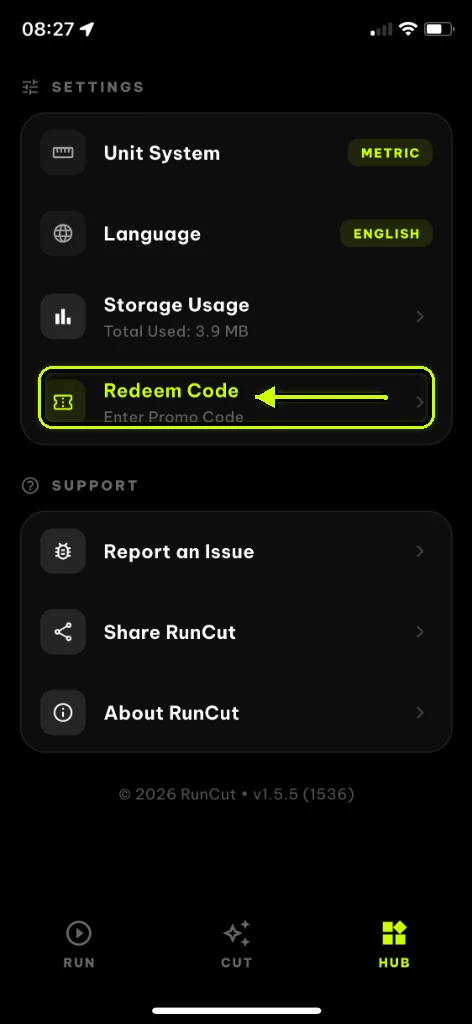
Tap the HUB tab, then select Redeem Code.
Once verified, you will see a success message and your RunCut Pro status will activate immediately!
Option 2: Redeem via the Paywall / Upgrade Screen
If you are already previewing a Pro-exclusive feature (such as 60fps export, ultra-HD resolution, or pro telemetry HUD themes) and the Pro paywall pops up:
- Look below the subscription plan cards (Annual / Monthly) on the RunCut Pro screen.
- Scroll down until you see the “Redeem Code” button.
- Tap “Redeem Code” to open the redemption dialog.
- Enter your promo code and tap “Redeem”.
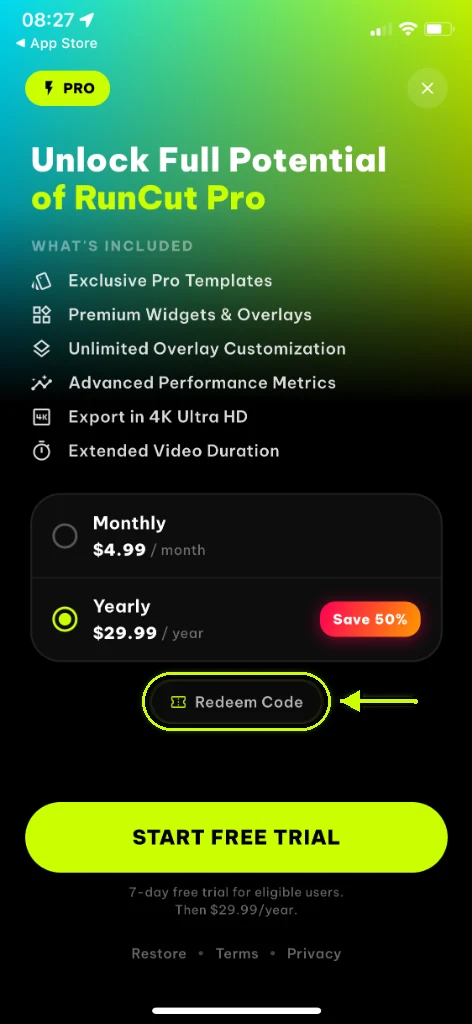
Tap Redeem Code directly below the subscription plans.
What Types of Codes Can You Enter?
RunCut’s in-app redemption engine is smart and handles two types of codes automatically:
- Direct RunCut Pro Codes: Custom alphanumeric codes provided directly by the RunCut team (e.g., from our 1-Month Free Review Reward or community challenges). These unlock Pro features instantly within the app.
- Apple App Store & Google Play Store Codes: If you paste an official Apple or Google Store offer code, the app will automatically recognize it and open the official native Store redemption prompt with your code pre-filled, so you never have to type it manually twice!
Frequently Asked Questions & Troubleshooting
Q: It says “This device has already redeemed this promo code”
Each single-use promo code or promotional campaign may be limited to one redemption per device or account. If you have already claimed this campaign on your phone, you cannot apply the same code again.
Q: It says “Invalid code” or “Code expired”
- Double-check for typos, extra spaces, or capitalization (codes are case-insensitive, but ensure no hidden spaces were copied).
- Promo codes often have an expiration date tied to specific campaigns. If your code has expired, keep an eye on our community announcements for new events.
Q: I redeemed successfully, but Pro features are still locked
- Close RunCut completely and relaunch the app.
- Go to the HUB tab -> Manage Subscription -> tap “Restore Purchases”.
- Ensure your phone has an active internet connection.
Need assistance?
If you run into any trouble redeeming your code, our team is always here to help. Drop us a quick message at hi@runcut.app with your code and device model, and we’ll get you sorted right away.
Enjoy crafting stunning, dynamic workout recap videos with RunCut Pro! 🏃♂️🚴♀️💨